How to Project Onto Your Bedroom Ceiling — A Practical UK Setup Guide
Watch films lying in bed — how to set up a mini projector for ceiling viewing — stand angle, keystone, focus, sound and the honest limitations.
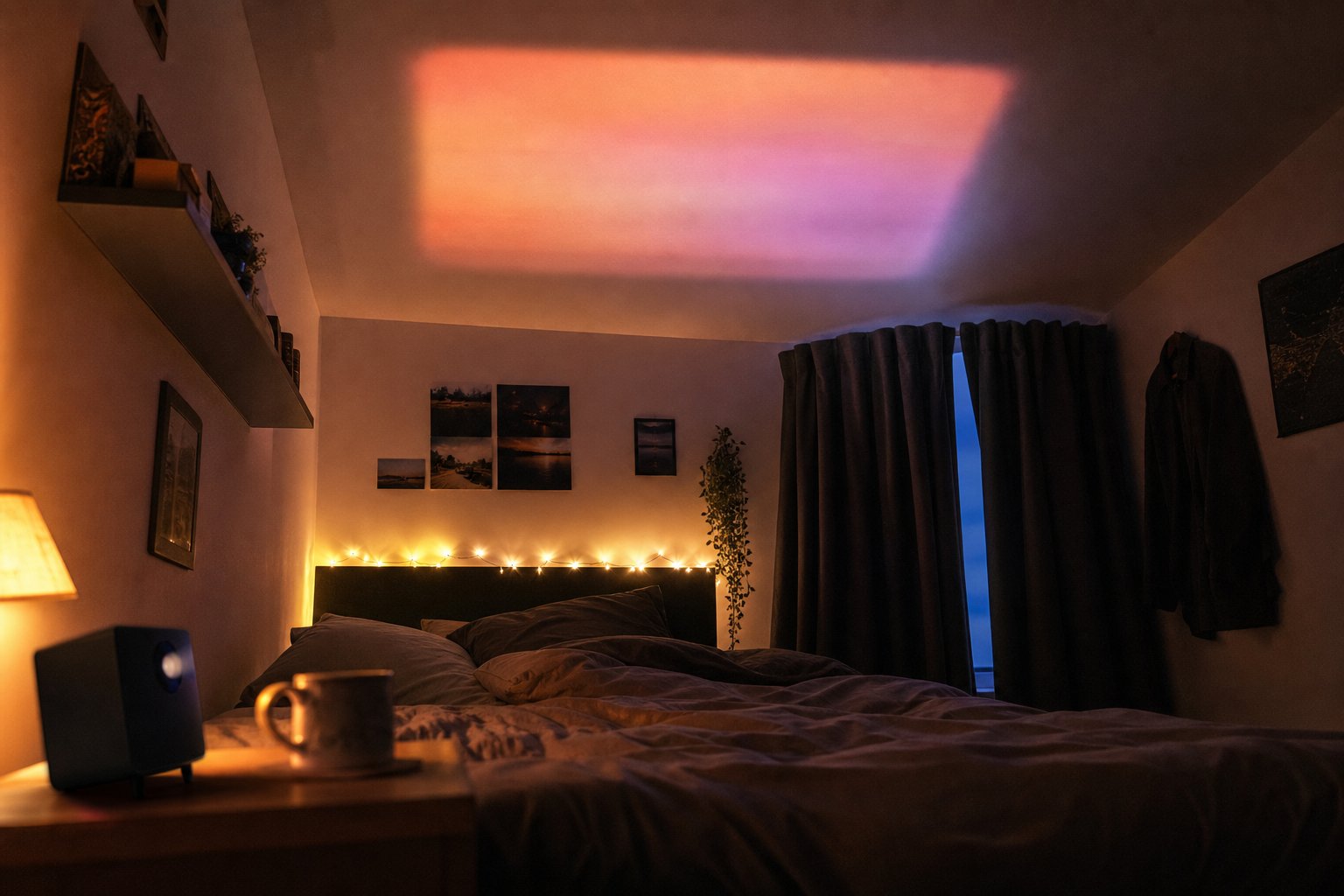
Watching films on your bedroom ceiling while lying flat in bed is entirely doable with a compact projector, a stand that rotates upward, and about twenty minutes of one-time setup. This guide covers where to place the projector, how to get the image square and sharp, how to sort sound and controls so you never have to get up, and what the honest limitations are.
Why the ceiling, and who actually does this
This is not a gimmick. Real owners — including XBJ owners posting in UK projector communities — describe the same use case: a rented room or small flat where a wall-mounted TV is impossible or pointless, and the most comfortable viewing position is flat on your back. A ceiling picture at 60–80 inches, viewed from mattress height, fills your field of view in a way a bedside TV never will. Renters like it for a second reason: nothing is drilled, mounted or stuck to any surface. The projector sits on a bedside table, angled up.
Step 1: Placement — bedside table, not the bed
Put the projector on a stable bedside table or a stool, not on the mattress. Two reasons: first, a duvet blocks the intake vents and traps heat, which shortens LED life and makes the fan work harder and louder. Second, every time you move, the picture shakes. The XBJ portable projector has a 180° adjustable stand, so the body tilts to point straight up or at any angle in between — no books, boxes or improvised wedges needed.
Height matters less than distance. The distance from lens to ceiling determines the picture size: in a standard UK bedroom with the ceiling around 2.4 m and a table at 0.6 m, the throw distance is roughly 1.8 m, which lands you in the region of a 55–65 inch image. Want it bigger? Lower the projector — a floor position under the ceiling gives you 2.4 m of throw and a picture over 80 inches. Our throw distance guide in the FAQ section does the exact maths for your room.
Step 2: Squaring the image — what keystone can and cannot do
Point the lens straight up and the image lands as a clean rectangle. Tilt it at an angle — for example, projecting onto the ceiling area above your head from a table beside the bed — and the image becomes a trapezoid. Auto keystone correction pulls it back to a rectangle digitally.
Here is the honest part most product pages skip: keystone correction works by using fewer of the panel’s pixels, so heavy correction costs you a slice of sharpness and brightness, and you may see a faint unused border. The practical rule is simple — get as close to straight-on as furniture allows, and let keystone fix the last few degrees rather than doing the heavy lifting. If you find yourself correcting a steep angle every night, move the table.
Step 3: Focus, and the fine print about text
Focus once the picture is at its final size. Use a paused frame with on-screen text or a menu, not a moving scene. On a textured ceiling (Artex or heavy paint stipple), expect film scenes to look fine and small text to look slightly soft — the surface itself scatters light. A smooth matt white ceiling is the ideal screen; glossy paint reflects the lamp as a hotspot.
One honest expectation to set: at this price class, edge-of-frame focus is softer than the centre — real owners mention it, and we would rather you knew. For films and YouTube it is barely relevant. If your main use is reading subtitles in the corner of the frame or spreadsheet work, this is not the right product category for you, as our honest spec sheet spells out.
Step 4: Sound and the fan, solved from your pillow
The built-in speaker is fine for casual YouTube at close range, but the projector is now above and behind your head, and its small driver points the wrong way. Pair Bluetooth headphones directly to the projector for the best late-night experience — no cables across the bed, no disturbing anyone else in the house. A small Bluetooth speaker on the opposite bedside table is the couples option.
The fan is audible in quiet scenes — owners say it, and it is true of every compact LED projector in this class. From two metres away with the sound going, most people stop noticing. With Bluetooth headphones on, the fan disappears entirely, which is why the headphone route is genuinely the best ceiling-viewing tip we can give.
Step 5: Controls without getting up
The remote works fine bounced off the ceiling — infrared reflects. Keep it on the bed. For streaming, the built-in Android system runs YouTube directly; for Netflix the reliable route is worth reading about in our Netflix on a mini projector guide, because DRM rules on budget projectors are a genuine minefield and we would rather explain them honestly than pretend they do not exist. A Fire TV Stick in the HDMI port, powered by the projector’s USB socket, gives you a proper streaming remote you can use lying down — many ceiling viewers end up preferring it.
The five-minute nightly routine
Once configured, the nightly routine is: tilt the stand up, power on, and press play — the angle, focus and keystone hold their settings. Power off from the remote when your film ends.
Honest summary
Ceiling projection at this price is brilliant for films, series and YouTube in a dark room, from a lying-down position, with headphones or a small speaker. It is not a daylight TV replacement, it will not out-sharpen a £500 unit at the frame edges, and a textured ceiling softens fine text. If that trade-off suits your room and your budget, the XBJ portable projector product page has the full specification, current price, delivery times and the 30-day returns policy — everything you need to decide from your pillow.
Ready to view the TURN1 Android 14 Short-Throw Projector?
View product details