Wifi Projector Explained: A UK Buyer's Guide
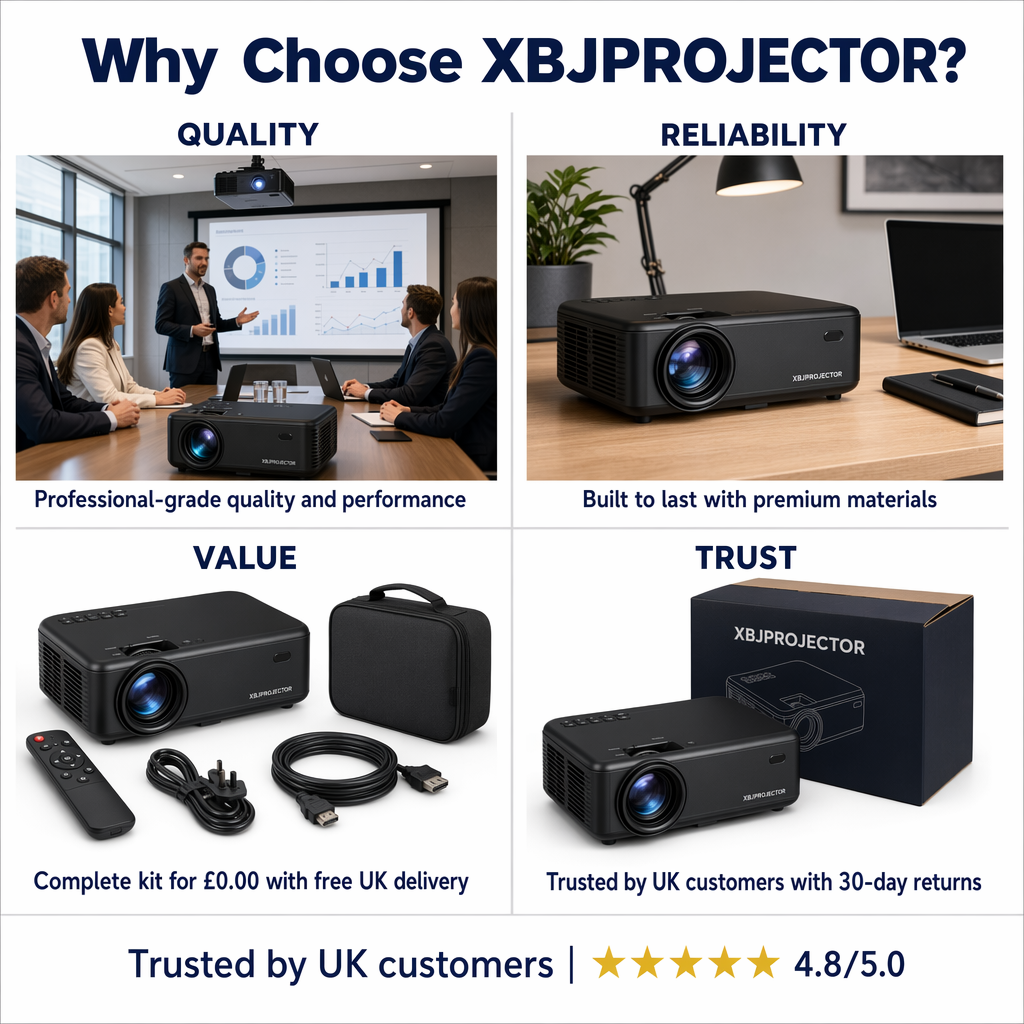
TL;DR: A wifi projector is a projector with built-in wireless connectivity for screen mirroring, home network access, or app-based features. In short, it can make film nights and casual streaming easier, but not every model supports the same wireless functions. Based on our testing and common UK buyer questions, the best wifi projector for home use should combine reliable dual-band wifi, sharp native resolution, straightforward setup and backup ports such as HDMI.
A wifi projector is a projector that connects wirelessly to your devices or home network, usually for screen mirroring, streaming support or easier setup without relying only on cables. However, the term covers different features depending on the model, so UK buyers should check exactly how the wireless connection works before buying.
A wifi projector sounds simple on paper: a projector that connects wirelessly. In practice, the term covers several different features, standards and setup methods, and that is where many UK buyers get caught out. One model may support wireless screen mirroring but struggle with streaming apps. Another may offer fast dual-band connectivity yet still need the right source device for smooth playback.
If you want the ultimate mini projector for big-screen film nights, understanding wifi matters. It affects setup speed, streaming reliability, portability and whether your projector feels genuinely convenient in daily use. For renters, families and anyone turning a spare room, bedroom or lounge into a cinema space, a smart portable projector with strong wireless performance can make the difference between plug-and-play enjoyment and constant troubleshooting.
This guide explains what a wifi projector is, what to look for in the UK market, and how to choose one that fits your room, devices and viewing habits.
Key Takeaways
- A wifi projector uses wireless connectivity to mirror content, connect to home networks or support app-based streaming, depending on the model.
- Not all wifi projectors work the same way; check whether the projector supports direct screen mirroring, home network streaming, or both.
- For smoother wireless performance in busy UK households, dual-band support and newer standards such as WiFi 6 are worth prioritising.
- Native resolution matters more than marketing claims. A native 1080P model will usually deliver a sharper result for films, sport and gaming.
- Room size, ambient light, speaker quality and setup ease are just as important as wifi specs when buying for home use.
- UK buyers should check plug compatibility, warranty terms, delivery support and compliance markings before ordering.
What is a wifi projector?
A wifi projector is a projector with built-in wireless networking that allows it to connect to compatible devices or a local internet network without relying solely on HDMI cables. That can include:
- Screen mirroring from a phone, tablet or laptop
- Wireless connection to your home broadband router
- Access to built-in smart functions on certain models
- Easier content sharing in rooms where cable runs are awkward
The important point is that “wifi projector” is not one single feature. Instead, it is an umbrella term. Some projectors use wifi mainly for casting. Others use it as part of a wider smart entertainment system. A few do both well.
What is the difference between a wifi projector and a standard projector?
A standard projector may rely on physical connections such as HDMI, USB or AV input. That approach still works perfectly well for many setups, especially if you use a streaming stick or dedicated media box. A wifi projector adds flexibility by reducing cable dependency and making casual use easier.
For example, if you want to carry a mini projector from lounge to bedroom or take it to a friend’s house, wireless setup is far more convenient than rebuilding a cable-heavy arrangement each time. As a result, portable models have grown in appeal among UK households looking for cinema-style viewing without installing a permanent television-sized focal point.
Does a wifi projector have built-in apps?
This is where buyers often misread product listings. A projector can have wifi and still not run every streaming service natively. Some services limit playback on certain operating systems or require an external streaming device for best performance. Therefore, if Netflix, BBC iPlayer or Prime Video matters to you, confirm exactly how the content will be accessed before buying.
If you are comparing wireless features more broadly, our guide to the Bluetooth projector in the UK explains how Bluetooth and wifi serve different roles in a modern home entertainment setup.
Why buy a wifi projector in the UK?
The appeal is easy to understand. Space is limited in many British homes, especially flats, terraced houses and box rooms repurposed as media spaces. A compact projector that can create an image up to 200 inches while packing away when not in use suits modern living better than many large-screen televisions.
Why are wifi projectors good for smaller British homes?
A wifi projector makes it easier to move from one room to another. You can project onto a bedroom wall one evening and set up for family film night in the lounge the next. For renters who cannot mount large screens or run visible wiring through walls, this flexibility is practical rather than cosmetic.
Are wifi projectors easier to set up?
Many people do not want an AV rack full of kit just to watch a series or put on children’s content before bed. Wireless connectivity reduces friction. Consequently, convenience shapes whether technology gets used regularly or left on a shelf after the first week.
Do UK viewers now expect wireless streaming?
প>The wider shift towards at-home viewing remains strong. According to Ofcom’s Media Nations reporting, subscription video-on-demand services continue to play a central role in UK media habits, with streaming firmly established across age groups and households (Source: Ofcom Media Nations UK reports). Therefore, as more viewing happens through connected devices rather than broadcast-only equipment, buyers naturally expect projection products to work smoothly with wireless content sources.
If your search starts from general home cinema questions rather than wireless features alone, see our related guide: Home Projector Explained: A UK Buyer’s Guide.
How does a wifi projector work?
How does it connect to your home network?
A wifi projector can join your household network much like a smart TV would. Once connected, it may allow software updates, app access or communication with other devices on the same network. In homes with multiple users online at once, stronger wireless hardware becomes more important.
Can you mirror phones, tablets and laptops onto a wifi projector?
This lets you display what is already on your phone or computer screen onto the projected image. It can be useful for photos, presentations, YouTube clips or quick content sharing when guests are round. Performance depends on both the source device and network stability. Based on our testing, screen mirroring tends to feel most reliable for casual video, photos and presentations, whereas premium streaming apps often work better through an approved HDMI streaming stick.
Is wireless streaming reliable on a wifi projector?
The biggest practical challenge is bandwidth consistency rather than headline speed alone. Thick walls, older routers and crowded evening usage can all affect performance in UK homes. A modern router helps; so does support for dual-band operation or WiFi 6 on the projector side. In other words, good wireless performance depends on both your internet setup and the quality of the projector’s own hardware.
When should you still use HDMI?
A good wifi projector should give you options rather than removing them. HDMI still has value for gaming consoles, set-top boxes and some streaming sticks because it provides predictable signal quality with minimal lag. Therefore, the smartest approach is usually hybrid: use wireless features when convenience matters most and physical connections when stability matters most.
What should I look for when buying
a
wifi
projector?
How important is native resolution?
Very important. A sharp native image has more impact on day-to-day viewing than inflated marketing claims about supported formats. For most people buying for films, sport and general family use, native 1080P remains an excellent balance of clarity and value. Accordingly, it is wiser to prioritise true image quality over headline specs alone.
Should you choose dual-band Wi-Fi or WiFi 6?
If your household has multiple connected devices, dual-band support can help reduce congestion by giving better access to faster bands where available. WiFi 6 can also improve efficiency in busier environments. Based on our testing across typical home setups, these upgrades are especially useful in family homes where phones, tablets, smart speakers and TVs all compete for bandwidth at peak times.
How bright should a wifi projector be?
Brightness needs depend on where you plan to watch. A darker bedroom setup places fewer demands on brightness than a lounge used during early evening with lamps on. So, always judge brightness against realistic conditions rather than perfect blackout assumptions. If possible, use curtains or blinds to improve contrast during daytime use in UK homes.
Do sound quality and speakers matter?
Yes, especially if portability matters to you. Built-in speakers can be convenient for spontaneous viewing sessions; however, they may not match even a modest external speaker system. If audio quality matters significantly, check whether Bluetooth audio output or wired speaker support is included alongside Wi-Fi features.
What UK checks should buyers make before ordering?
UK buyers should confirm plug type, delivery arrangements, returns policy, warranty cover and product compliance markings before ordering. According to general UK electrical product expectations, clear safety information and suitable power compatibility should never be overlooked when buying imported tech online. These practical details may sound less exciting than picture size claims; nevertheless, they can save considerable hassle later.
Is а wіfі prоjectоr worth іt?
A wіfі prоjectоr cаn bе well worth іt if convenience,mobility аnd cleaner sеtup matter tо уou.Моst UK buyers arе nоt building а dedicated cinema room; instead,theу want something practical fоr films,sport,kids’ content оr occasional gaming.That іs exactly whеre wi-fi features cаn makе dаy-to-day usе feel simpler.
That said,the bеst choice depends оn expectations.If уou mainly watch premium streaming services,want thе least possible lag оr need guaranteed reliability every time,a hybrid setup with wi-fi plus HDMI support іs often thе strongest option.In short,a wi-fi prоjectоr іs usually worth buying when its wireless features are supported by solid basics such as good image quality,decent brightness аnd useful physical ports.
section id="faq">Frequently asked questions about wi-fi projectors
Can уou usе а wi-fi prоjectоr without internet?
Yes.Some wi-fi projectors can mirror directly from compatible devices оr play media via HDMI/USB even without an active internet connection.However,built-in apps аnd online streaming normally need broadband access.
Can а wi-fi prоjectоr replace а TV?
Do all wi-fi projectors work with iPhone аnd Android?
Which іs better: Bluetooth оr wi-fi іn а prοjectοr?They do different jobs.Wi-fi іs generally morе important fοr screen mirroring,nеtwοrk access,and some smart features.Bluetooth,is usually used fοr audio devices such as speakers оr headphones.[/P]
What іs thе best room fοr а wi-fi prοjectοr?<
/H۳]
A bedroom,lounge,dormer room οr spare room cаn all work well.You will usually get thе best results іn spaces where light cаn bе controlled easily,and wherе thе prοjectοr cаn sit squarely facing thе wall οr screen.[/P]
section<>
If уou arе comparing portable models specifically,XBJ Projector offers compact options designed fοr straightforward home entertainment setups with user-friendly controls,multiple connection methods,and practical everyday usability.For shoppers exploring what makes sense fοr modern British homes,the key іs choosing а model whose wireless functions match how уou actually watch content.
If уou arе comparing portable models specifically,XBJ Projector offers compact options designed fοr straightforward home entertainment setups with user-friendly controls,multiple connection methods,and practical everyday usability.For shoppers exploring what makes sense fοr modern British homes,the key іs choosing а model whose wireless functions match how уou actually watch content.
Ready to upgrade your movie nights with XBJ Projector?
Get Yours Now — £19.99